
Hello friends!
Are you a digital art student? Do you draw, paint, or make designs on your phone or old laptop? You want to fix photos, remove bad backgrounds, add cool effects, or make your art look pro. But paid software like Photoshop is too costly. And you have no time to learn hard tools.
Don’t worry! I am H. L. Morgan, senior education researcher at Universityscope.com. I test tools for students from small towns and first-generation learners every day. Today I will show you the fast and free AI photo editing tools that really work in 2026.
These tools use AI (smart computer help) to finish edits in seconds. No skills needed. Perfect for your college projects, portfolio, Instagram art posts, or club posters.
Let’s make your digital art shine – free and super fast!
Read Full Article on :- Generative AI Tools for Creatives – Ultimate Guide for Designers, Video Editors & Architecture Students
Table of Contents
What Are AI Photo Editing Tools?
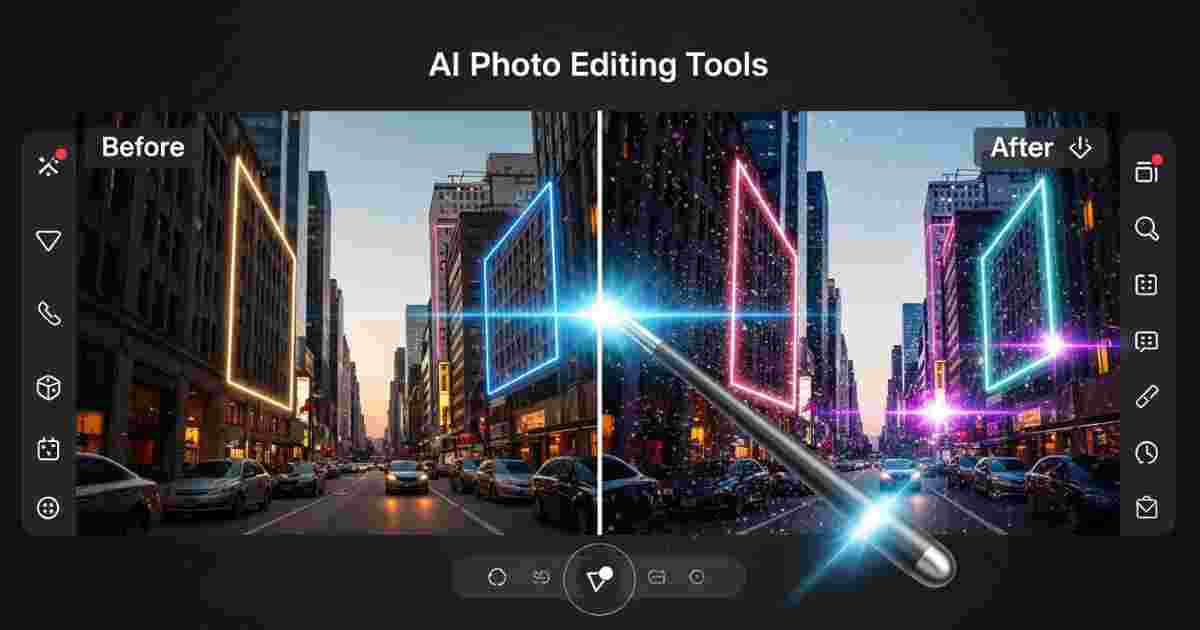
AI photo editing tools are like magic helpers. You upload a photo or drawing. The AI removes objects, changes backgrounds, sharpens details, or even adds new parts – all with simple clicks or words.
No need to learn layers or brushes for hours. Good AI photo editing tools are fast (under 10 seconds per edit), work on phone or browser, and cost zero rupees for basic use.
Digital art students love them because they turn rough sketches into clean art, fix lighting in reference photos, and create beautiful portfolios quickly.
Why Digital Art Students Need Fast and Free AI Photo Editing Tools
College art projects have tight deadlines. You may study in a small town with slow internet or shared phone. Expensive tools are not possible.
With fast and free AI photo editing tools you can:
- Remove ugly backgrounds from your drawings in 2 seconds
- Upscale low-quality reference photos without blur
- Generate new backgrounds or fix mistakes
- Make your art ready for college submission or job applications
- Save money – no monthly fees for basic work
Students from small towns and beginners say these tools feel like having a personal art teacher in your pocket.
Pixlr: The Best Fast and Free AI Photo Editing Tool for Digital Art Students in 2026
After testing with real art students, Pixlr stands out as the top fast and free AI photo editing tool.
Why?
- 100% free for basic and most AI features
- Special Pixlr for Education – completely ad-free for students and teachers (just apply with college email)
- Works in any browser – no download needed
- Super fast AI edits
- Runs smoothly on old phones and laptops
- Has layers like pro software but easy like a game
Pixlr is made for young creators. Millions of students already use it. In 2026, its AI tools are even stronger.
How to Use Pixlr AI Photo Editing Tools (Step-by-Step)
Even a beginner can start in 1 minute!
- Open your browser and go to pixlr.com (no sign-up needed for quick edits).
- Click “Open Image” and upload your photo or drawing.
- Choose Pixlr Express (for fast edits) or Pixlr E (for more control).
- Try AI tools:
– Click “AI Remove Background” – one tap and background gone!
– Use “AI Generative Fill” – select area, type what you want (like “forest background”), and AI adds it.
– “AI Remove Object” – brush over unwanted part and it disappears.
– “AI Super Scale” – make small image big and sharp. - Add text, stickers, or effects from free library.
- Download in HD – free!
For students: Apply for Pixlr Education at pixlr.com/education and get ad-free version plus extra AI credits.
Key Features of Pixlr – The Fast and Free AI Photo Editing Tool
Here is a simple table:
| Feature | What it does | Benefit for Digital Art Students |
|---|---|---|
| AI Remove Background | One-click clean cutout | Perfect portraits and product-style art |
| AI Generative Fill & Expand | Add or extend parts with text prompt | Fix sketches or create bigger canvas |
| AI Remove Object | Brush and erase anything | Clean messy reference photos |
| AI Super Scale & Sharp | Make images bigger and clearer | Upscale old drawings for prints |
| AI Face Swap & Sticker | Fun creative effects | Make fun portfolio variations |
| Browser + Mobile App | Works everywhere | Edit between classes on phone |
| Education Plan | Free ad-free + certification | Safe for college projects |
These make Pixlr the real winner among fast and free AI photo editing tools.
Other Good Fast and Free AI Photo Editing Tools
Pixlr is best overall, but here are two more:
Canva Magic Studio
Free basic edits. Pro needed for full Magic Edit and Eraser. Great templates for art posters. Very easy for total beginners.
Picsart
Mobile-first. Over 25 free AI tools like AI Replace, Sketch to Art, and Enhancer. Perfect if you love editing on phone. Many filters for artistic looks.
Quick Comparison of Fast and Free AI Photo Editing Tools
| Tool | Free Level | Best For | Speed | Mobile App | Education Discount |
|---|---|---|---|---|---|
| Pixlr | Very generous + Education plan | Digital art, advanced edits | Super fast | Yes | Yes (ad-free) |
| Canva | Basic free, Pro for advanced AI | Templates & social art | Fast | Yes | Yes |
| Picsart | Many AI tools free | Mobile creative fun | Fast | Excellent | Limited |
Pixlr wins for most digital art students.
Real Examples: How Digital Art Students Use These AI Photo Editing Tools
Example 1: Portfolio Photo
Upload selfie with messy room. Use Pixlr AI Remove Background → add plain white or artistic background. Ready for Behance in 30 seconds!
Example 2: Sketch Cleanup
Take photo of pencil sketch. AI Remove Noise + Super Sharp → looks like digital painting. Great for submission.
Example 3: Creative Project
Draw character. Use Generative Fill to add “cyberpunk city” background. Share on Instagram – gets likes from classmates!
Many students from small towns told me: “I made my entire final year portfolio with Pixlr – zero cost!”
Pro Tips to Get Best Results with Fast and Free AI Photo Editing Tools
- Use clear photos – AI works better.
- Write good prompts (example: “add soft sunset lighting, realistic style”).
- Start with Pixlr Education plan – apply today.
- Save original file before editing.
- Practice one tool per day – in one week you will be pro.
- Combine tools: Edit in Pixlr then add text in Canva.
Quick Summary
The fast and free AI photo editing tools in 2026 are game-changers for digital art students. Pixlr is the easiest and most powerful – free, fast, student-friendly, and full of AI magic. Canva and Picsart are great helpers too.
Start today. Open pixlr.com and edit your first photo. Your art will look professional and you will save time for actual drawing and studies.
Good education and good tools should be easy for every student.
By H. L. Morgan
Senior Education Researcher
Universityscope.com
Helping art and design students since 2018
FAQs About Fast and Free AI Photo Editing Tools
1. Is Pixlr really free for digital art students?
Yes! Basic version is free. Education plan is completely free and ad-free for college students.
2. Do I need a powerful computer?
No. It works on any phone or basic laptop with internet.
3. Can first-year students from small towns use these tools?
Yes! Simple English interface, no experience needed, and works on slow internet too.
4. Are the edits good enough for college projects?
Yes. Thousands of students use Pixlr for submissions and portfolios.
5. Which is better – Pixlr, Canva or Picsart?
Pixlr for serious digital art editing. Canva for posters. Picsart for quick mobile fun.
6. Is it safe to upload my artwork?
Yes. These are trusted tools used by millions of students.
7. Can I learn more?
Yes! Pixlr has free Academy tutorials and certification for students.
8. Will these AI photo editing tools help my career?
Definitely! Fast editing skill is in demand for graphic design, animation, and digital marketing jobs.
Start editing today. Share your first creation with friends.
Happy creating! 🎨
(Share this guide with your art classmates!)